How to Reset a Check Engine Light: 3 Safe Ways (Without Disconnecting the Battery)
Pulling the battery isn't the shortcut it looks like. Here's what actually works.
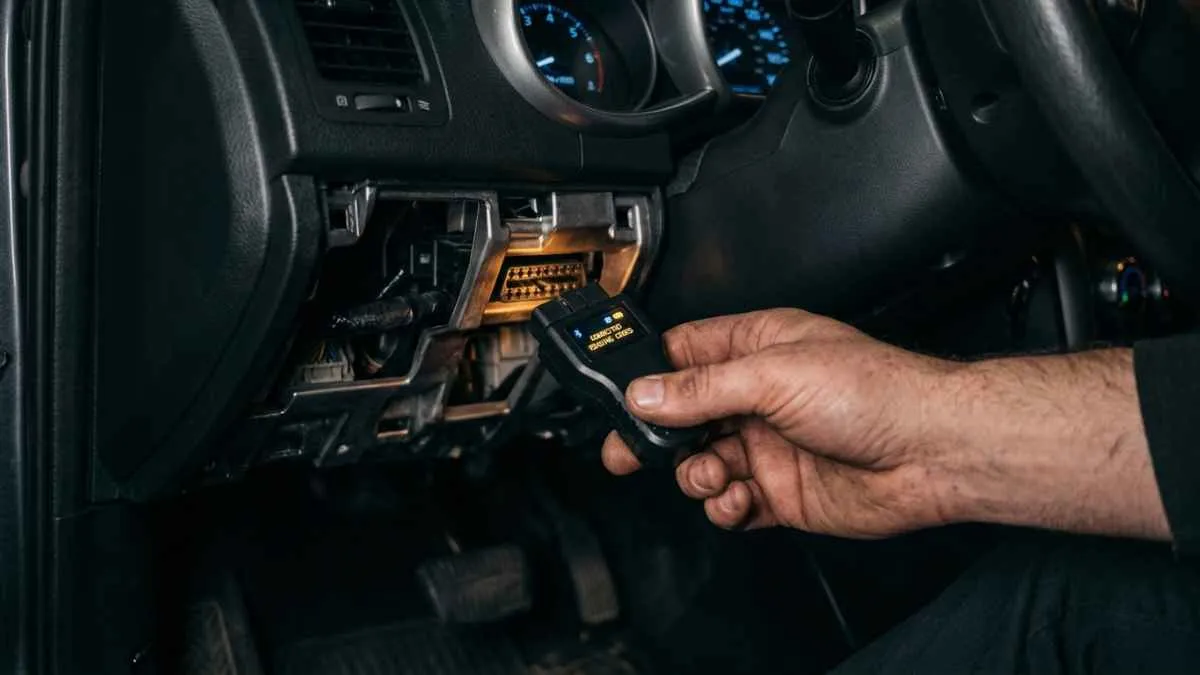
The moment a repair is actually finished, most people want the same thing: get that light off the dashboard as fast as possible. And the advice that tends to circulate — pull the battery terminal for a few minutes — sounds simple enough that it's easy to see why it's still one of the first things people try.
I get why it's tempting. It doesn't require a scan tool, and there's something satisfying about a hard reset. But it comes with side effects most people don't find out about until after they've done it, and there are three ways to get the same result without any of them.
Method 1: Clear the code with a scanner
The direct, recommended way
Any OBD2 scanner — from a basic Bluetooth dongle to a handheld unit — has a "clear codes" or "erase codes" function built in. Plug it into the port under your dashboard, read the code first so you know what you're clearing, then use the clear function. The light turns off immediately, nothing else on the car is affected, and no settings are lost.
Takes under 2 minutesMethod 2: Let it clear itself through normal driving
The zero-tool, zero-cost way
If you've fixed the underlying issue but don't have a scanner handy, you don't strictly need one. Most vehicles will turn the light off automatically after three consecutive drive cycles complete without the fault reappearing. A drive cycle generally includes a cold start, some city stop-and-go, and a stretch of steady highway speed. In practice, this usually takes anywhere from a few days to about two weeks of ordinary driving.
Takes 3 successful drive cyclesMethod 3: Ask an auto parts store to clear it
The no-scanner-of-your-own way
The same stores that read codes for free will usually clear them for free too, since they're using the same handheld reader for both. This is a reasonable option if you've already had the underlying issue fixed and just don't own a scanner yourself.
Free, takes 5 minutesAll three of these methods turn the light off. None of them repair anything. If the part or system that triggered the code is still faulty, the light will come back — usually within 50 to 100 miles. Clearing a code only makes sense after the actual cause has been addressed, or when you're using it to verify that a repair worked.
Why disconnecting the battery isn't the shortcut it looks like
Pulling the battery does clear the check engine light on most vehicles, so the appeal is understandable. But it comes with a handful of side effects that rarely get mentioned:
- Lost presets and settings — radio stations, clock, and on some cars, seat and mirror memory positions all reset.
- A relearn procedure may be needed — many modern vehicles store idle and throttle position data that gets wiped along with the battery disconnect. Until the computer relearns these values over a drive cycle or two, you may notice a rougher idle or slightly off shifting.
- It doesn't always fully work — some manufacturers store certain codes in memory that survives a battery disconnect, meaning you go through the hassle and the light comes right back on anyway.
None of this makes disconnecting the battery dangerous. It's just an unnecessarily blunt tool for a job a five-dollar scanner does more precisely, with none of the side effects.
- Have a scanner? Use its clear function — fastest, cleanest option.
- No scanner, but the issue is fixed? Drive normally — it'll clear itself in a few drive cycles.
- Want it cleared today with no tools? Most auto parts stores will do it free.
- Skip the battery disconnect — it risks lost settings and a relearn period for no real benefit.
- Always fix the cause first — clearing an unresolved code just delays the light's return.